Funktionsweise
Von der Aufnahme bis zum Bericht in wenigen Minuten
Projekt erstellen
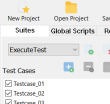 Definieren Sie ein neues Projekt und fügen Sie Test-Suites und Testfälle hinzu, um Ihre automatisierten Tests zu strukturieren.
Interaktionen aufzeichnen
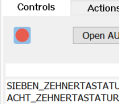 Starten Sie die Zielanwendung und zeichnen Sie Klicks, Eingaben und Überprüfungen auf. ZenoTest erfasst Steuerelemente automatisch über UI Automation.
Code automatisch generieren
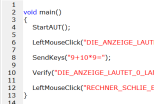 Beenden Sie die Aufnahme und erhalten Sie sofort sauberen, editierbaren und lesbaren Testcode.
Tests automatisch ausführen
 Führen Sie Ihre automatisierten Test-Suites aus. ZenoTest startet die Anwendung, führt Aktionen aus und protokolliert die Ergebnisse.
Berichte prüfen
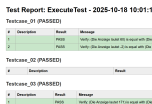 Überprüfen Sie die Testergebnisse übersichtlich mit Pass/Fail-Status, Ausführungs-Logs und Screenshots.